Free Fire Update Problems 2026 can prevent players from downloading the latest version, installing game files, logging in, or enjoying smooth gameplay. These errors may occur because of an unstable internet connection, insufficient storage, outdated app-store data, corrupted cache files, or temporary server issues.
If Free Fire is not updating on your Android phone, you do not necessarily need to reinstall the entire game. This guide explains practical solutions for common update errors, download failures, installation problems, and crashes so you can troubleshoot the issue safely.
What Causes Free Fire Update Problems 2026?
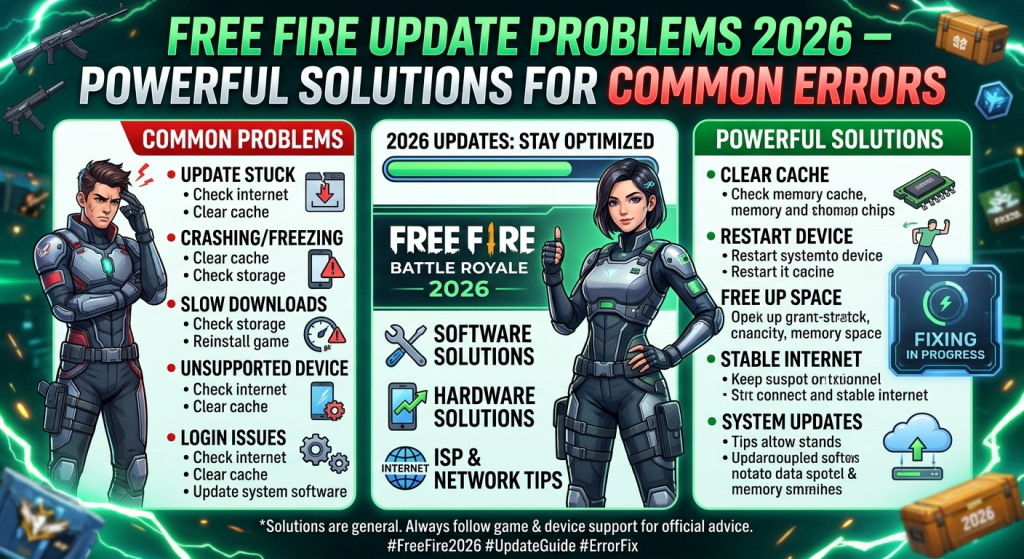
Free Fire update errors can have several causes. Understanding the possible reason helps you choose the right fix.
Common causes include:
- Unstable Wi-Fi or mobile data.
- Insufficient free storage on your phone.
- A temporary Google Play Store download problem.
- Corrupted cache files.
- An outdated Android operating system.
- Device compatibility issues.
- Temporary game-server problems.
Before changing your settings, check your internet connection and confirm that you are downloading the game from an official source.
1. Free Fire Update Not Downloading
If the update remains pending or stops downloading, try these steps.
- Open Google Play Store.
- Check whether Free Fire has an available update.
- Pause and restart the download if necessary.
- Switch between Wi-Fi and mobile data to test your connection.
- Close other apps that are downloading large files.
- Restart your phone and try again.
If the problem continues, check the Google Play Store’s download settings and available storage.
2. Free Fire Update Failed or Shows an Error
An update may fail because of network interruptions, temporary store problems, or insufficient storage.
Powerful solutions
- Check that your internet connection is stable.
- Free up storage space before restarting the download.
- Restart your device.
- Open the Play Store again and check for the update.
- Check whether other apps can download successfully.
You can also consult Garena’s official technical support for troubleshooting instructions.
3. Free Fire Not Installing After an Update
Sometimes the download finishes, but the game fails to install.
Try the following:
- Check whether your device has enough free storage.
- Restart your phone.
- Confirm that your Android version supports the available game version.
- Retry the installation through the official app store.
- Avoid installing modified or incompatible APK files.
If you plan to reinstall the game, first make sure your account is linked to a supported login method and that you can recover access. Reinstallation may require downloading additional game resources.
4. Free Fire Stuck on Loading Screen
If Free Fire remains stuck on the loading screen after an update, temporary files or device performance may be contributing factors.
On Android, open Settings → Apps → Free Fire → Storage → Clear Cache. Menu names may vary by phone.
Then close unnecessary background apps and restart the game.
If the game crashes when a match begins, Garena recommends trying these display settings:
- Graphics: Smooth
- High FPS: Normal
- Auto Scale: Off
These settings may help with certain client-crash problems, but they will not resolve every possible error. See Garena’s game client crash guide.
5. Free Fire Update Causing Lag or High Ping
Some players notice lag after updating their game. However, lag can result from network conditions, device performance, background apps, or graphics settings.
Try these fixes:
- Switch to a more stable internet connection.
- Close background applications.
- Stop active downloads while playing.
- Lower the graphics quality.
- Restart your device if performance remains poor.
- Check your in-game ping to help distinguish network problems from frame-rate issues.
Garena recommends checking device compatibility and reducing graphics quality when troubleshooting lag. Read its official game lag guide.
6. Free Fire Login or Server Connection Error
If you cannot log in after updating, first check your internet connection and make sure you are using the correct account.
You can also try:
- Close Free Fire completely.
- Switch between Wi-Fi and mobile data.
- Reopen the game.
- Log out and log in again if you can access the game settings.
- Check official support announcements for known technical issues.
Do not share your password or OTP with anyone offering unofficial account recovery services.
7. How to Update Free Fire Safely in 2026
Follow these steps to reduce the risk of installation errors:
- Open the official app store available for your device and region.
- Search for Garena Free Fire.
- Check whether an update is available.
- Confirm that your phone has enough storage.
- Download and install the update.
- Open the game and allow any required in-game resources to download.
If the update is unavailable, it may not have reached your region or device yet. Check official announcements instead of downloading files from unknown websites.
You can visit the Garena Free Fire Support Center for Pakistan-specific support or explore the guides on FF APKs.
Frequently Asked Questions
Why is Free Fire not updating in 2026?
Possible reasons include unstable internet, insufficient storage, Play Store errors, compatibility problems, or a temporary service issue. Check these factors before reinstalling the game.
How do I fix a Free Fire update stuck at 100%?
Wait briefly, check your storage, restart the game, and retry the download if necessary. If the issue persists, consult official support.
Will clearing the cache delete my Free Fire account?
Clearing the app cache normally removes temporary files rather than account information. Avoid selecting Clear Data or Clear Storage unless you understand the consequences and have secured your account.
Should I download a Free Fire update APK from an unknown website?
No. Unknown APK files can be modified, incompatible, or unsafe. Use an official app store or a download source explicitly authorized by Garena.
What if none of these solutions works?
Record the error message, your device model, and the steps you have already tried. Contact Garena through its official support channel and provide screenshots if requested.
Conclusion
Free Fire Update Problems 2026 can often be addressed by checking your internet connection, freeing storage, restarting your phone, clearing temporary cache files, and updating through an official source.
If the issue continues, consult Garena’s technical support rather than installing modified game files. Using trusted downloads and protecting your account will help you troubleshoot update errors more safely.