Free Fire APK File Size 2026 is an important consideration for Android users who want to install Garena’s popular battle royale game without running out of storage. Before downloading, it helps to understand the difference between the initial APK download, additional game files, and the total space needed to run the game smoothly.
The required storage can vary depending on the game version, device, and downloaded resources. Free Fire MAX may also need more space than the standard version because it offers enhanced graphics and visual effects.
This guide explains the storage requirements, how to check available space, how to avoid installation errors, and where to download Free Fire safely.
What Is the Free Fire APK File Size 2026?
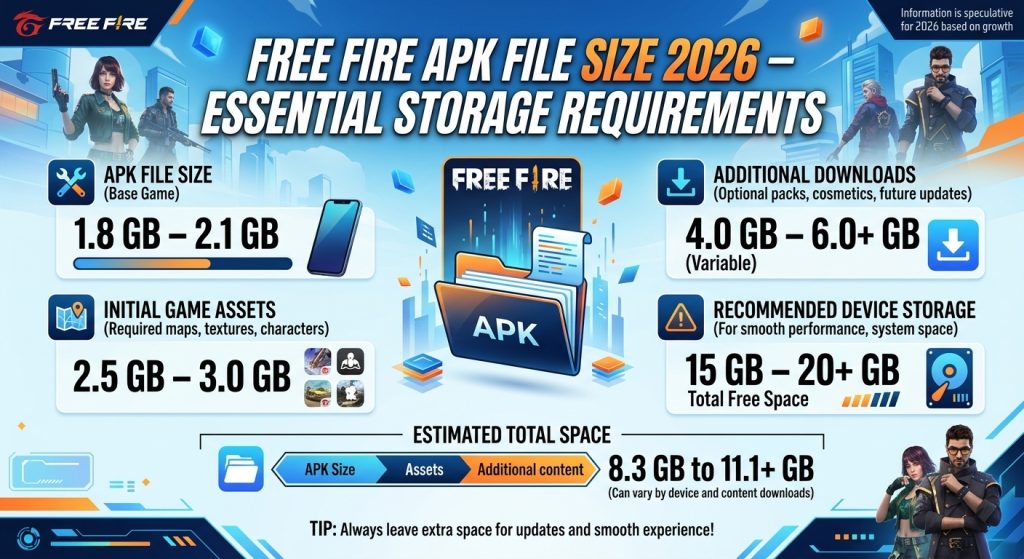
The Free Fire APK file size refers to the size of the Android installation package. However, the APK size alone does not show how much storage the complete game will occupy after installation.
Additional resources, updates, maps, and other game files can increase the total storage used. The exact download size may also change when Garena releases a new version.
According to Garena’s published minimum requirements, standard Free Fire needs at least 1.5 GB of storage, while its recommended Android setup lists 3 GB or more. These figures describe storage requirements rather than a guaranteed current APK download size.
For the most accurate package size, check the official download page or Google Play Store listing on your own device.
Free Fire Storage Requirements for Android
Your phone needs enough free storage to download, install, and update the game. It is also helpful to leave some space for Android’s temporary files and other applications.
| Requirement | Standard Free Fire | Free Fire MAX |
|---|---|---|
| Initial download size | Varies by version | Varies by version |
| Minimum storage | Garena lists 1.5 GB+ | Garena’s regional guidance may differ |
| Recommended storage | Garena lists 3 GB+ | Some published requirements recommend 4 GB+ |
| Additional game files | May be downloaded after installation | May require additional resources |
| Best way to verify | Official store listing | Official store listing |
These are general reference figures, not a guarantee that every current version will install with exactly the same amount of free space. Device compatibility and the store’s current requirements should take priority.
For further details, consult Garena’s official minimum requirements.
APK Size vs Total Game Storage
Many players confuse the APK download size with the total space used by Free Fire. They are not the same.
1. APK Download Size
This is the size of the installation package downloaded to your Android device. A package may be relatively small compared with the complete game because it does not necessarily include every resource used during gameplay.
2. Installed App Size
After installation, Android stores the application and its associated files. The amount of space used can differ from the original download size.
3. Additional Game Data
Free Fire may download extra resources after the first installation. Depending on the version and available content, these downloads can increase the storage requirement.
4. Future Updates
Updates may need additional temporary space while new files are downloaded and installed. Keeping your phone’s storage nearly full can cause installation or update problems.
Tip: Do not calculate the required storage using the APK file size alone. Check the game’s current requirements and leave extra free space before installing.
How Much Storage Should You Keep Free?
The right amount depends on your device and the version you want to install.
For standard Free Fire, Garena’s published guidance lists 1.5 GB or more as the minimum storage requirement and 3 GB or more for its recommended Android configuration. Free Fire MAX may need more space.
Use these practical steps before downloading:
- Open your Android phone’s Settings.
- Select Storage or Device Care.
- Check the available internal storage.
- Remove unnecessary downloads or unused applications if space is limited.
- Keep additional space available for updates and game resources.
- Open the official store listing and check compatibility.
Avoid deleting unfamiliar system files to free up storage. Removing large personal files that you no longer need is generally a safer approach.
Free Fire vs Free Fire MAX: Which Uses More Space?
Free Fire and Free Fire MAX are different versions of Garena’s battle royale game.
Standard Free Fire is designed to support a broad range of devices. Free Fire MAX focuses on enhanced visuals and a more detailed presentation, which can increase its storage and performance demands.
Consider the following when choosing between them:
- Available storage: A phone with limited internal storage may be better suited to the standard version.
- Graphics performance: MAX may be more demanding on your device.
- Device compatibility: The official store will indicate whether the version is supported.
- Download size: The package and additional resources can change with updates.
- Gameplay needs: Choose the version that suits your phone rather than selecting solely by file size.
You can check the official Free Fire website for game information and use the official store listing available in your region.
How to Check Free Fire Storage on Android
If Free Fire is already installed, you can check how much space it uses.
- Open Settings on your phone.
- Tap Apps or App Management.
- Find Free Fire in the installed applications list.
- Open its Storage section.
- Review the displayed app size and user data.
Menu names may differ depending on your phone manufacturer and Android version.
The displayed figure may include different categories of data depending on your device. It may also change after an update or when additional resources are downloaded.
If you need to free up space, avoid clearing game data unless you understand the consequences. Confirm that your game account is properly linked before removing app data or uninstalling the game.
How to Download Free Fire Safely in 2026
When looking for the Free Fire APK File Size 2026, always check the source as well as the file size. An unfamiliar website may offer an outdated or modified package.
Follow these steps:
- Open Free Fire on Google Play.
- Check the developer and compatibility information.
- Review the available download details.
- Tap Install if the game is supported on your device.
- Open the game and allow any required additional resources to download.
If Google Play is unavailable on your device, use only a download source explicitly authorised by Garena. The official support team warns against downloading APK files from unauthorised sources.
Never trust an APK solely because a website labels it as the latest or safest version. Modified game files can put your device and account at risk.
For more gaming guides, visit our Free Fire APK information website.
How to Fix Free Fire Installation Problems Caused by Storage
If Free Fire fails to install, storage may be one possible cause. Try these solutions before downloading the game again.
Free Up Internal Storage
Remove unnecessary files, old downloads, or applications that you no longer use. Check the available space again before restarting the installation.
Restart Your Phone
A restart can resolve some temporary device issues. Once your phone starts again, reopen the official app store and retry the download.
Check Your Internet Connection
A weak connection can interrupt downloads. Switch to a stable Wi-Fi or mobile-data connection and try again.
Update the App Store
If Google Play Store is not downloading applications correctly, follow Google’s official troubleshooting instructions.
Avoid Unofficial APK Files
If an installation fails, downloading a modified package from another website is not necessarily the solution. Verify compatibility and use an authorised source.
For additional assistance, visit Garena Free Fire Support.
Frequently Asked Questions
1. What is the Free Fire APK File Size 2026?
The exact APK size varies by version and distribution method. Check the current official store listing or an authorised Garena download source for the package size available to your device.
2. How much storage does Free Fire need?
Garena’s published Android requirements list at least 1.5 GB of storage for standard Free Fire and 3 GB or more for its recommended configuration. Extra space may be needed for updates and additional game files.
3. Does Free Fire MAX require more storage?
Free Fire MAX may require more storage and stronger hardware because of its enhanced visual features. Check its current official listing and device compatibility information before downloading.
4. Why does Free Fire use more space after installation?
The game may download additional resources, updates, and other data after the initial installation. This means the total storage used can be larger than the original APK file.
5. Can I install Free Fire with very little free storage?
The installation may fail if your device does not have enough room for the package and additional files. Free up storage first and check the game’s current requirements.
6. Is it safe to download Free Fire APK files from third-party websites?
Unauthorised APK files may be modified, outdated, or unsafe. Garena recommends downloading from authorised app stores or its official download source where available.
Conclusion
Understanding the Free Fire APK File Size 2026 helps you prepare your Android phone before downloading the game. Remember that the initial package size is different from the total storage used after installation, additional resource downloads, and updates.
Check the latest official requirements, make sure your device has sufficient free space, and choose between standard Free Fire and Free Fire MAX according to your phone’s capabilities. Most importantly, use an authorised download source to protect your device and gaming account.